Non-nominated EPS
Published on: 25th May 2022 | Updated on: 20th August 2026
Prescribers can send non-nominated prescriptions electronically even when a patient does not have a nomination in place. This helps increase the proportion of prescriptions sent and processed through EPS.
These are sometimes referred to as ‘Phase 4’ prescriptions.
See also: Differences between Release 1 barcoded prescription and Phase 4 token factsheet.
Before Phase 4, prescribers could only issue an EPS prescription if a patient had chosen a nominated pharmacy or another dispenser. EPS mainly benefitted people who regularly used the same pharmacy.
With Phase 4, EPS prescriptions are now sent electronically by default — whether the patient has set a nomination or not. A paper prescription is still used in specific circumstances, for example:
- when a medicine is not included in the NHS dictionary of medicines and devices (dm+d).
Although Phase 4 expands EPS use, nomination continues to offer the greatest benefits for patients and pharmacy teams. All existing nominations remain valid, and pharmacy teams should continue to encourage appropriate patients to use nomination.
If a patient has not set a nomination
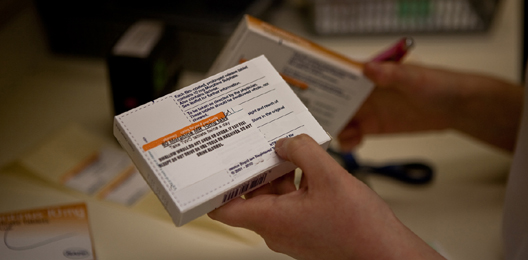
A patient who has not chosen a nominated pharmacy will receive a green Phase 4 prescription token. They can take this to any pharmacy. Pharmacy teams scan the barcode on the token to retrieve the EPS prescription.
Under EPS Phase 4, patients can take their token to any pharmacy in England. If you receive a Phase 4 token, simply scan the barcode and dispense it in the same way as other EPS prescriptions. Remember that any dispense notifications and endorsements must be added electronically using your pharmacy system. Endorsements written or printed on a token will not be processed by the NHS Business Services Authority (NHSBSA).
Some prescribing systems offer a “one‑off nomination” option. This may suit some patients better than Phase 4 if the feature is available. You can read more about this on our nomination webpage.
If a patient loses their Phase 4 non‑nominated token, see our guidance on locating EPS prescriptions and the section below.
EPS team guidance first introduced back in 2020 key points are:
- Nomination should continue to be used whenever possible.
- Phase 4 (non‑nominated) prescriptions should only be used when other options are not suitable.
- One‑off nomination is an alternative where available.
If a patient cannot receive their Phase 4 token during a remote consultation, prescribers may instead provide the Prescription ID. Some GP practices can copy this ID and send it to the patient by email or text directly from their clinical system.
If the patient shares the ID with the pharmacy, you can enter or paste it into your pharmacy system to retrieve the prescription. Some systems may also support scanning a barcode if the prescriber’s system generates one. Patients may send a clear electronic image for the pharmacy to scan.
If the prescription still cannot be located, the EPS Tracker can be used as a last resort, for example by searching with the NHS number.
Non‑nominated paper tokens
- When you receive a Phase 4 token, scan the barcode and dispense it in the usual way.
- Green Phase 4 tokens can be used to capture patient exemption or charge declarations.
- File all green Phase 4 tokens together with white EPS tokens, not with the main paper prescription bundle sent to NHSBSA.
- Review your system print settings. Many IT system suppliers allow you to customise when white EPS dispensing tokens are printed.
- Some pharmacy teams highlight the “Prescriber signature not required” text to make Phase 4 tokens easy to identify.
- In earlier rollouts, some patients filled in the back of the green token before arriving at the pharmacy. If your process involves shredding the green token and printing a white dispensing token, patients may need to complete the form again. Some teams have chosen to use the original green token for declarations to avoid this.
Remote use of Phase 4 and EPS
See the remote use section above for tips on handling EPS in remote consultations.
If you need to report an EPS Phase 4 issue, follow the usual escalation route:
- raise the issue with your IT system supplier; and
- your supplier should escalate to NHS National Service Desk if they cannot resolve it.
More detail is available in the one‑page EPS escalation factsheet.
Q. Can EPS Tracker be used to view information for a Phase 4 prescription?
Yes. You can find Phase 4 prescriptions using EPS Tracker by searching with the prescription reference or NHS number.
Q. Can patients with an existing nomination also request a Phase 4 prescription?
Yes. This might be useful if a patient urgently needs a medicine but their usual pharmacy is closed and they want to take a Phase 4 token elsewhere.
Q. What do Phase 4 non‑nominated tokens look like compared with Release 1 barcoded prescriptions?
Both are printed on green stationery.
Phase 4 tokens include the wording “PRESCRIPTION TOKEN – Not to be used as a prescription, even if signed by an authorised prescriber” and have a shorter 18‑character barcode.
Release 1 barcoded prescriptions must include the prescriber’s ink signature and have a longer 36‑character barcode.
Q. How does EPS Phase 4 work within cross‑border areas?
Prescribers near the Welsh or Scottish borders may provide paper prescriptions instead of Phase 4 tokens if their patients choose to use community pharmacies across the border.
You can read more here:
For more information on this topic please email it@cpe.org.uk